
Peter Hartree wrote about a frustrating gap in how LLMs handle Google Docs: none of the major LLMs properly read comments. You can download a Google Doc as markdown and upload it, but you lose comment author names. ChatGPT can see comments but not who wrote them. It’s frustrating if you’re trying to use AI to help with document review.
Claude Cowork, however, is great at working with Microsoft Word docs, and it’s easy to download a Google doc as a .docx file. So, I tested using comments with Claude Cowork, and it works extremely well. Not just reading comments, but the full set of things you’d want: reading existing comments with author attribution, leaving new comments, replying to comment threads, and making edits with track changes.
The somewhat-janky workflow
Download a Google doc that you want to have Claude edit (as a .docx file.)
Set up Claude Cowork, and work in a folder containing the .docx files you downloaded.
Ask Claude to review your doc and add comments, or suggest changes using “track changes.”
Once it’s done working, re-upload the doc to Google Drive.
Claude will be able to:
Read your comments and see who wrote them.
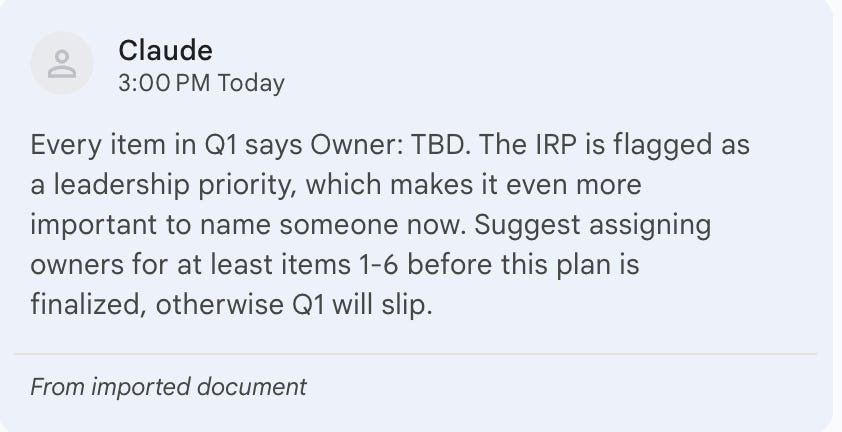
Leave new comments. Claude added its own comment on a section heading, attributed to “Claude,” which shows up in Word’s comment pane like any other reviewer’s comment. These are preserved once you upload back to Google.
Reply to existing comment threads. Claude replied directly to my comment, and the reply is properly threaded under the original.
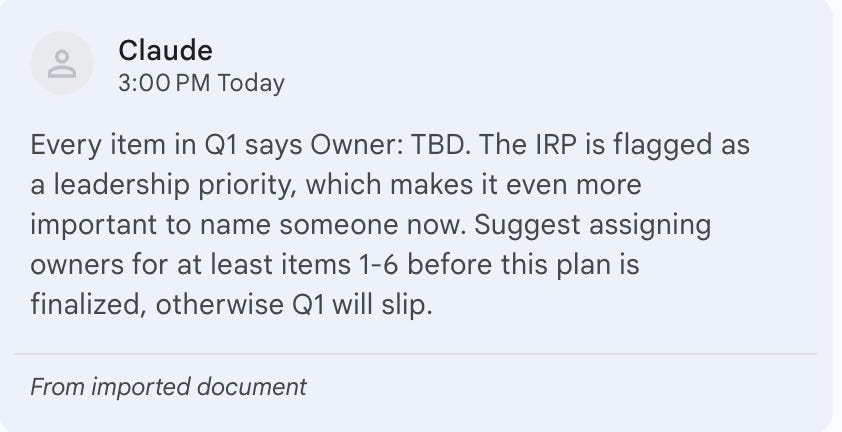
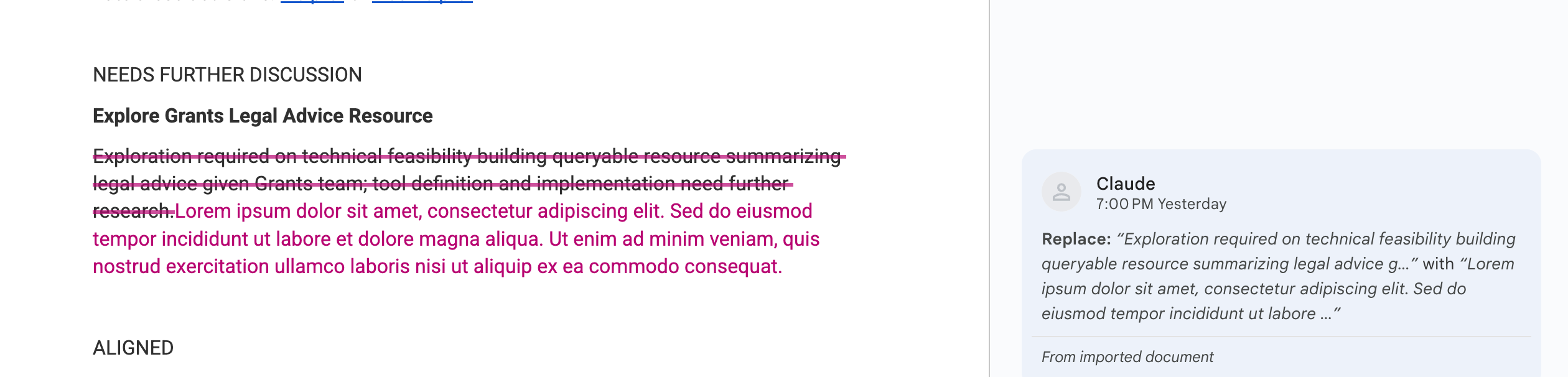
Claude giving me some feedback on a draft security strategy Claude can also use track changes to suggest revisions. Claude can delete text and insert replacement text with proper tracked changes markup, showing the deletion in strikethrough and the insertion highlighted, attributed to “Claude” as author.
This is a pretty big upgrade
A lot of our teams work in Google Docs and use comments heavily for review workflows. Until now, if you wanted AI help with a doc that had active comment threads, you had two bad options: lose the comments entirely, or manually copy-paste them as context. Neither is great.
With Cowork, you can download the .docx, hand it over, and Claude can participate in the review. It can read what reviewers flagged, respond to their comments, and make suggested edits with track changes that any collaborator can accept or reject in Word or Google Docs. I’ve had several people tell me this will be a game-changer in how they work.
Caveats
This works with .docx files, not native Google Docs format directly. You need to do the download/upload step. And I’ve only tested it with relatively simple documents so far. I’d guess very complex docs with lots of nested comments and formatting might hit edge cases.
This flow is a tad slow: I asked Claude to leave feedback on an 11-page strategy doc, and it worked for ~5 minutes to leave 7 comments. This is because Claude has to manually edit the doc using its tools.
Finally, the other annoying part is that your sharing settings won’t be preserved when you re-upload. This workflow isn’t great for working collaboratively on docs with other people.
Next steps
I think the next step here is to write a nice Claude Skill to make it even better at using comments, or even set up a workflow to automatically download and upload files to Google. I’m excited to keep making this process cleaner. I think having an AI comment on your docs is a really natural way to have an AI help with writing and red-teaming.
A colleague of mine shared this trick: if you replace '/edit' (and any tab or heading info after that) with '/mobilebasic' in the url, then all the comments appear as footnotes at the bottom that you can copy easily